CAT | work
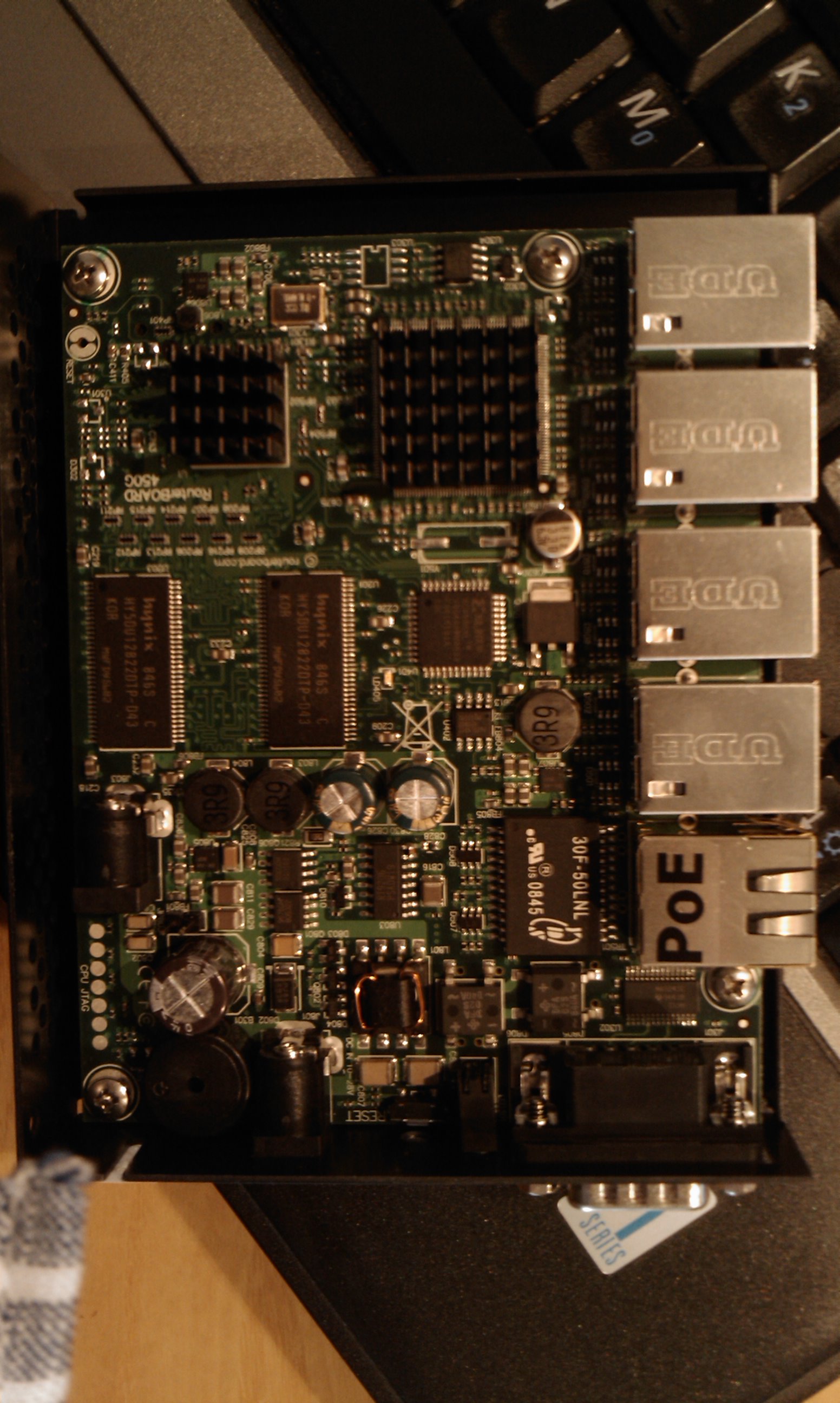
Today i received a Mikrotik Routerboard 493G, and i’m trying to use it with openwrt.
Basically using the same method of my previous post for rb450g it boot and a lot of things are working out of the box.
I’ve tryed also to install openwrt on nand, and it seem to work. So, what doesn’t work?
* Networking: the ethernet ports aren’t working.
* nand partially working: it seem that won’t save anything, you will loose any change after reboot.
* wireless: i have also a mikrotik minipci wifi card, lspci says it’s an ath9k, but it doesn’t seem to work ok.
Now, i’ll try to gettings things working.
For the networking, the rb493g isn’t so different from the rb450g. It uses the same switch chip, but it has two ar8316 instead of
one like in the rb450g.
As first step, i’ve tryed to make at least one of the two working applying this patch:
It seem to partially work: i can use 4 ports out of 9 on the board using this patch.
To be continued…
After booting openwrt in the yesterday post, i found some problems with openwrt in routerboard 450g. The three more important and evident issues are:
- OpenWRT don’t see the NAND flash at all
- OpenWRT see only 128 MB of RAM instead of 256 MB
- OpenWRT don’t see the five Ethernet ports
After asking by email and fax mikrotik to release the kernel patches for this board, they send to me this patch against the 2.6.27 kernel: Mikrotik patches
WARNING: Mikrotik send me another mail saying that the yesterday patch has an issue, so, they send me a new one fixed. Thit is the Mikrotik kernel patch fixed
Recently Mikrotik has released a new board, the routerboard 450G, something like an upgraded version of the 450 more powerfull and cheap.
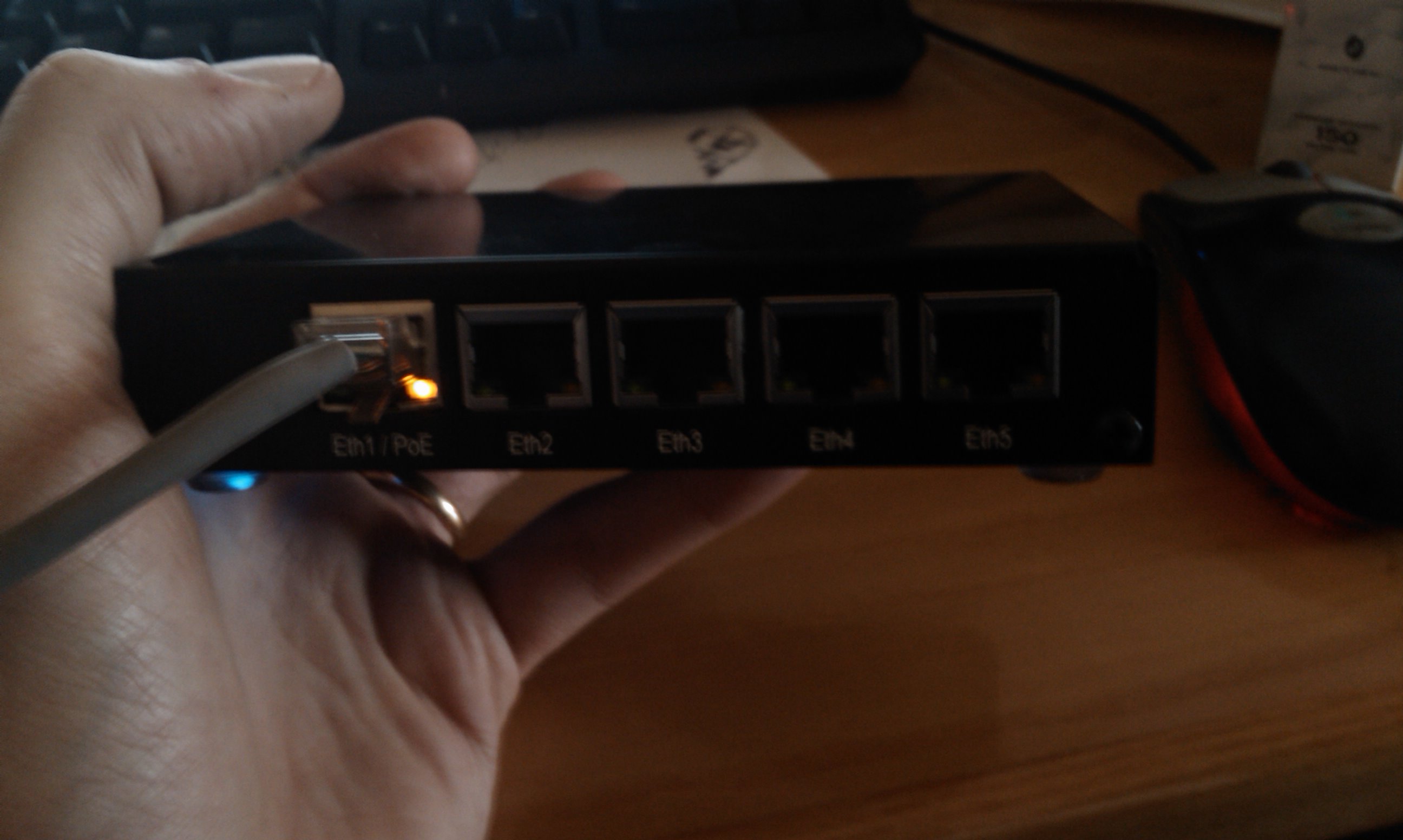
It is an atheros 7161 @680 Mhz based board, with 256 megs of RAM, 512 megs of NAND storage, 5 ethernet ports (3 10/100/1000 and 2 10/100) with POE and a microsd slot. It costs around 150€ complete with enclosure and power adapter, and it is shipped with RouterOS 3.21 preinstalled.
RouterOS is a good linux based OS with a proprietary userland, and it work great as i can see searching on the web. But for my personal needs, it isn’t the right choice cause i love linux and freedom, and cause i need to put some scripts and software developed by me for my use. So, i’m investigating on how to use a “real” linux on it. My final goal will be to run debian or emdebian, but for initial testing openwrt seem to be more adapt cause it support (or at least some work is done) for other routerboard systems.
First Try: boot OpenWRT kamikaze
To start working on it with linux, my choice is to boot openwrt kamikaze svn trunk from tftp. This is a step by step chronicle of the status of my tests.
Pass 1: get and compile kamikaze.
dedalo|/home/nextime$ svn co svn://svn.openwrt.org/openwrt/trunk kamikaze [...] Updated to revision 15208. dedalo|~$ cd kamikaze dedalo|~/kamikaze$ make menuconfig
This command will start the ncurses interface to generate a .config file.
Select “Atheros AR71xx [2.6]” as the target system:

Select Exit and save the config, and start to build openwrt:
*** End of OpenWrt configuration. *** Execute 'make' to build the OpenWrt or try 'make help'. dedalo|~/kamikaze$ make Checking 'working-make'... ok. Checking 'case-sensitive-fs'... ok. [...] make[2] target/install make[3] -C target/linux install make[2] package/index dedalo|~/kamikaze$
I assume you know how to install and you already have a dhcpd and a tftpd servers installed. This is a piece of my dhcpd.conf:
host routerboard1 {
hardware ethernet 00:0c:42:3e:58:98;
option domain-name-servers 192.168.5.8;
option domain-name "nexlab.thc";
option routers 192.168.2.254;
option broadcast-address 192.168.2.255;
next-server 192.168.2.2;
fixed-address 192.168.2.76;
filename "routerboardlinux";
}
Move the openwrt image created to the tftp server root and rename it:
dedalo|~/kamikaze$ mv bin/openwrt-ar71xx-vmlinux.elf /tftproot/routerboardlinux dedalo|~/kamikaze$
Now is time to boot our rb450g. Attach it on the serial port with a null modem cable, and start minicom with those settings:

Boot the routerboard, and when it say to do it, press any key to enter in the bootloader configuration menu

Press “o” and “e” to change the boot device to “network”, and press x to exit setup
t - do memory testing
x - exit setup
your choice: x - exit setup
RouterBOOT booter 2.20
RouterBoard 450G
CPU frequency: 680 MHz
Memory size: 256 MB
Press any key within 2 seconds to enter setup..
trying bootp protocol... OK
Got IP address: 192.168.2.76
resolved mac address 00:13:8F:98:13:2B
Gateway: 192.168.2.254
transfer started .......................... transfer ok, time=9.25s
setting up elf image... OK
jumping to kernel code
Linux version 2.6.28.9 (nextime@dedalo) (gcc version 4.1.2) #1 Sun Apr 12 01:209
console [early0] enabled
CPU revision is: 00019374 (MIPS 24Kc)
Atheros AR7161 rev 2 (id:0xaa), CPU:680.000 MHz, AHB:170.000 MHz, DDR:340.000 Mz
Determined physical RAM map:
memory: 08000000 @ 00000000 (usable)
[...]
BusyBox v1.11.3 (2009-04-12 00:57:05 CEST) built-in shell (ash)
Enter 'help' for a list of built-in commands.
_______ ________ __
| |.-----.-----.-----.| | | |.----.| |_
| - || _ | -__| || | | || _|| _|
|_______|| __|_____|__|__||________||__| |____|
|__| W I R E L E S S F R E E D O M
KAMIKAZE (bleeding edge, r15208) -------------------
* 10 oz Vodka Shake well with ice and strain
* 10 oz Triple sec mixture into 10 shot glasses.
* 10 oz lime juice Salute!
---------------------------------------------------
root@OpenWrt:/#
Now we have openwrt running. Next time i will analyze what work and what don’t work.
21
Nuovo rilascio per Medianix FreePBX
0 Comments | Posted by nextime in VoIP, informatica, work
Oggi e’ stata rilasciata una nuova release di Medianix base, la 0.7, oltre che il nuovo modulo FreePBX. Dal trac di medianix:
Changes in FreePBX 0.3 module:
* asterisk upgraded to 1.4.4
* asterisk-gui upgraded to svn trunk 20070520
* zaptel upgraded to 1.4.2.1
Changes in medianix 0.7 base:
* zaptel modules upgraded to 1.4.2.1
* base system upgraded to latest debian sid
* some minor bugfix
Maggiori dettagli al link http://trac.medianix.org
4
Fastweb e VoIP SIP… capitolo secondo
0 Comments | Posted by nextime in VoIP, informatica, work
Oggi mi sono svegliato presto, con un pensiero che mi ronzava nella testa. Si, ho risolto il problema con fastweb, e il mio SIP server ora funziona alla perfezione. Pero’ i “tecnici” di fastweb hanno qualcosa come 15 tickets chiusi in un giorno dove sta scritto che le cose non funzionano a causa mia, della mia configurazione, e questo proprio non riuscivo a farmelo andare giu’.
Inizio a pensare a come convincerli del fatto che il problema e’ loro mentre faccio colazione, e un pensiero si fa sempre piu insistente nella mia testa. In fondo, ora il loro “GAD” e’ staccato, e quindi se fanno una verifica a loro risulta che la mia connessione sia “down”.
Decido quindi di tornare a Milano sulla scena del crimine, e di ingannare fastweb al fine di dimostrare quanto siano incompetenti. Non so se riusciranno a risolvere il problema, ma questo in fondo poco importa, tanto so come risolverlo da me, l’importante e’ che capiscano che il problema e’ loro, non mio!.
Prendo la macchina e mi butto in autostrada, e, durante il tragitto, telefono a fastweb annunciando che siamo senza connessione e che probabilmente il loro GAD e’ morto, non da’ piu segni di vita. L’operatrice ovviamente mi rivolge le domande di rito, tipo “avete provato a riavviare il GAD togliendo e rimettendo la spina?”, e ancora “le linee telefoniche invece funzionano?” e cosi’ via. Ma io insisto che ho fatto tutto, che nulla funziona, che devono fare uscire un tecnico. Detto fatto, mi annuncia che ha aperto la segnalazione e che verro’ richiamato a breve per prendere un appuntamento da parte del tecnico che verra’ a sistemare il problema.
Passano 2 ore, io sono in ufficio che aspetto ( con il GAD staccato ma con la connessione che funziona a meraviglia ), quando finalmente suona il cellulare. E’ lui, il tecnico di fastweb, mi annuncia che verra’ presso la nostra sede alle 14:30 ( ho chiamato alle 9… se avessi davvero un guasto avrei perso mezza giornata di lavoro minimo! ah, che assistenza! ).
Arrivamo le 14:30, una telefonata mi annuncia che il tecnico arrivera’ un po’ in ritardo ma di stare tranquillo che sta arrivando. In effetti oggi piove che quel tizio lassu’ la manda, quindi non mi stupisco piu di tanto pensando ai possibili ingorghi da pioggia nel traffico milanese, mi metto il cuore in pace e aspetto.
Arrivano le 15 e finalmente il tecnico suona il campanello. E’ arrivato. gli vado incontro per accompagnarlo nel piccolo NOC dell’ufficio esordendo con un bel “buongiorno, le svelo un segreto, il nostro GAD funziona benissimo, e’ stato un problema simulato, ora le spiego il vero problema…”, e gli spiego tutta la pappardella di cio’ che e’ successo il giorno prima, di quale sia il vero problema, di quali siano le soluzioni che ho provato (si, compreso il fatto di staccare quel cesso di GAD).
Il tecnico porello e’ un dipendende di una azienda esterna in appalto, e piu di tanto non ne capisce, e’ anzi preoccupato di come giustificare la sua uscita. Ma io lo incalzo e lo invito a chiamare qualcuno che possa davvero capire il mio problema, e lui, gentilissimo e assolutamente senza colpa in tutto questo, mi asseconda. Chiama un suo contatto all’interno di fastweb dicendomi “questo e’ un ragazzo davvero in gamba, se c’e’ qualcuno che puo’ aiutarti e’ lui”. E in effetti ammetto che la persona dall’altra parte del telefono e’ competente. Con la sua guida e le password del tecnico ( che ovviamente non mi ha rivelato ) entriamo nel GAD dal terminale seriale.
Il GAD e’ una macchina ARM con un Linux embedded (kernel montavista), busybox e una cavolo di shell che emula in tutto e per tutto una CLI di Cisco IOS ( che fantasia quelli di telsey ). inizio a guardare la configurazione, e subito mi accorgo di una cosa. Non ci sono filtri apparentemente, ma c’e’ un limite di banda e di connessioni sulla porta udp 5060, ebbravi fastwebbari!.
Ranzo via il filtro con il permesso del tecnico al telefono, e giro un po’ nella cli alla ricerca di altri eventuali filtri. Il nulla, non c’e’ nulla. Decido per un “reload” del firmware, giusto per vedere se torna per caso il limite di prima, e nel frattempo ho sempre il mio hping che viaggia da una macchina esterna e il mio tcpdump che sniffa la eth0 della mia linuxbox.
La regola di limit non torna su, bene, ma una cosa mi salta all’occhio. Mentre il GAD fa il riavvio, durante lo shutdown per un attimo arrivano i pacchetti che sto inviando con hping2 (circa 10 pacchetti, giusto giusto prima del termine dello shutdown), e mentre il GAD si riavvia, altri 4 pacchetti arrivano da quando viene su la scheda di rete a quando appare la scritta “starting configuration” al terminale. Strano, sembra proprio il comportamento tipico di regole di iptables applicate durante il boot in uno script di init!. Ma dalla cli invece il nulla, non risultano filtri di alcun genere.
Morale della storia, non siamo riusciti a risolvere il problema, ma i tecnici hanno dovuto ammettere ( anche per iscritto, mi sono fatto firmare una dichiarazione, non si sa mai potrebbe servirmi ) che il problema sta sul loro GAD, suggerendomi di attendere il cambio di contratto che ho in corso e che a breve mi fara’ cambiare il GAD con un router cisco, sperando che con quello il problema non si verifichi piu’.
Una cosa e’ comunque certa, nel firmware del GAD fastweb effettivamente FILTRA i pacchetti in ingresso sulla 5060 UDP!
A questo punto ringrazio il tecnico, lo lascio andare via, e appena uscito dalla porta spengo il gad, lo metto da parte, e rimetto la mia bella macchina linux davanti a tutto, e vivo felice con la mia bella rete che funziona. Per ora va bene cosi’, ne riparliamo quando mi cambieranno il router…
To be continued…